
Beware Online Scams!
There have always been scams on the internet, but the rapid rise of AI has made the situation exponentially worse. It’s no longer easy to spot the fake Nigerian Prince that wants to give you millions of dollars if you just give them your bank details. Scams are becoming so realistic and hard to catch, impersonating people you know, trying to trick you into giving them information or access. You need to know what to look for so you don’t become a victim.
Scams are coming in from all angles – social media, malicious websites, search results, calls, texts, e-mails, and every other form of communication. It can seem overwhelming, but you just need to keep a defensive mind and always look for clues.
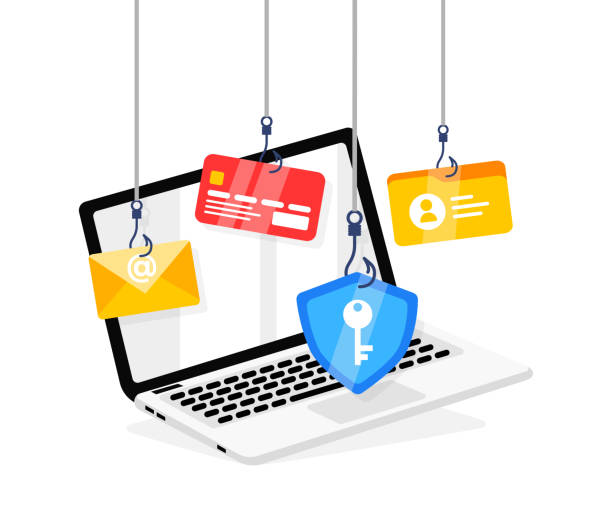
The most important and obvious advice still holds true:
Don’t trust people you don’t know.
But with all the new electronic forms of communication and how easy it is to impersonate someone using AI, including their image and voice, that advice needs to be extended to say:
Don’t trust anyone online, even people you know.
The security industry calls this “Zero Trust”. It means assuming everything is a scam first, until it can be proven to be legitimate though external methods.
Simply replying to something through the same method it came in only furthers the conversation with the potential scammer. You also can’t trust the content that you receive until it is verified. That means, for example, you can’t call the phone number listed in a message you receive because that could just be the scammer who will of course tell you they are not a scammer.
The first thing you want to try to do is verify the sender. There are different ways of doing this depending on the method of communication.
- Phone Call/Text – Verify the phone number.
- If the contact is saved in your phone, then it is easy to see, but if not, then make sure every digit, including the area code, is correct. Watch out for digits in the wrong order.
- Phone number spoofing is usually blocked by the carriers, but it is still technically possible to get a fake call or text from a “valid” number so be cautious with unusual or sensitive requests.
- If there is ever any doubt, call your IT support immediately.
- E-Mail – Verify the “From” address.
- This can be tricky for many reasons.
- The name listed next to, or sometimes in place of, the email address can be set to whatever the sender wants so it can’t be trusted at all.
- The email address must be perfect – no missing or additional letters. For example:
- someone@company.com vs. someone@company.com.ru
- someone@company.com vs. someone@compeny.com
- someone@companyname.com vs. someone@company–name.com
- Technically, even the email address can be faked if it originates from a fake server. This can be verified by inspecting the email headers to make sure it came from the official server’s IP address. Your IT support can help with this.
- The signature is not an indication of a valid sender. The signature could have been copied from a previous email sent to someone who later got hacked.
- Even if the email is truly from the email address that it says it is from, keep in mind that user may have been hacked so be cautious with unusual or sensitive requests.
- If there is ever any doubt, call your IT support immediately.
Next, determine the sensitivity of what is being requested. Is an employee asking for how many vacation days they have left? Or is an “employee” giving you new bank information where you should send their paychecks?
Here are some of the biggest scams going around right now:
- Impersonating employees to request personal information or request changes to their direct deposit account.
- Impersonating HR or Accounting to request personal or financial information from employees.
- Impersonating the owner or other senior person to “authorize” a payment or transfer of funds to some company, or to purchase gift cards with personal money for later reimbursement and reply with the card numbers.
- Impersonating another employee or external contact providing “updated project plans” which eventually lead to a fake page where you need to “enter your email address and password to download the attachment”
For internal communications, all companies use (or should be using) official portals and network shared folders/files for accessing and changing personal or financial information with HR or Accounting. As company policy, all requests (including from senior management) to access or change that information outside of those official methods should be rejected. If a request like that is received from a legitimate source, they should be reminded of the official method.
For external communications, official portals with multi-factor authentication are highly recommended but are not always available. Interactions with customers/clients and vendors may only be through email or phone. Any message requesting personal or financial information, or requests to make changes to that information, should be externally verified.
What if I get scammed or hacked?
No matter how safe you are, it can happen to anyone. The first thing to understand is there is no undoing of what has happened so far, we can only mitigate the damage. You cannot reason with a scammer. You cannot get information back once it has been stolen. Like everything else on the internet, once it’s out there, it’s out there. All you can do is immediately stop any further interaction and call your IT support for help.
If you discover you are or have interacted with a scammer by email or text, the first thing to do is stop the conversation. Do not send any more replies, just immediately call your IT support for help.
If you discover you are on the phone with a scammer, and they have taken control of your computer remotely, don’t say anything else. Just press and hold the power button on your computer until it powers off, which should take about 5 seconds, and then just hang up. Make sure you turn the computer off before hanging up so they don’t catch on to what you are doing. Then immediately call your IT support for help.
Here are a few examples of how bad it is getting:
I received a call from one of my clients that said one of their users had been hacked and the hacker was now communicating with one of their clients. Their client became suspicious and forwarded an email thread to another person at my client’s office for confirmation before redirecting payments to a new bank account as requested. This is where I started to investigate and discovered what really happened.
You see, the thread started out legitimately, discussing project plans between my client, their client, and a vendor. But at some point, about 4-5 replies into it, someone in that thread (we still don’t know who, but I was able to confirm it was not my client) got hacked and the thread was replied to by, seemingly, my client, but the email address had one extra letter in the domain part, which means it actually came from an entirely different email server. My client’s name and signature were copied and everything looked so close to being real, even I almost missed it.
The hacker actually replied a few times to keep the thread going, providing vague responses which were not caught by anyone. My real client was taken off the thread so they didn’t see any more responses that they would have otherwise noticed right away since they were not the ones sending them. Eventually, the hacker directed the conversation to payments related to the project and then provided new bank details where payments should go. Thankfully, their client did exactly what I recommend everyone do when even just 1% suspicious, and they contacted my client externally for confirmation.
Once I discovered the extra letter and dug through our own server logs to confirm there had not been any unauthorized access on our end, I forwarded my findings to their client’s and vendor’s IT departments. That is where this story ends for my client, but you can see how bad it would have been if their client hadn’t verified the request and just proceeded with it.
I had a client (from her company’s accounting department) recently tell me about receiving a call from the owner of the company requesting the purchase of a couple Amazon Gift Cards to give to a prospective new client. The owner said he was calling from the new client’s phone because his cell phone battery had died. There was a lot of background noise, which helped the owner’s story of being out somewhere and it helped make the voice sound even more real. My client said they agreed to send screenshots of the gift cards to the new client’s number once she had them and then hung up.
“The call was very convincing and sounded just like him,” she said. “At first, I was a little confused, thinking maybe he stepped out without me noticing, but after hanging up, I just got up and went to his office and there he was, working on his computer as he had been all morning. If, for any reason, he was not in his office at that moment, I might have gone through with it.” She received another call (didn’t answer) and some texts from the same number but then she blocked the number and that was the end of that.
If using AI to fake the voice of someone you know is not scary enough, check out this story of someone who was tricked into having a video conference where they could see and interact with several known company executives that they knew very well. The meeting went like clockwork and at the end, the CFO directed the transfer of $25 million. Unfortunately, the victim that did actually transfer out all of that company money was the only real person on that call – everyone else was AI. Here is a link to the full story:
https://www.cnn.com/2024/02/04/asia/deepfake-cfo-scam-hong-kong-intl-hnk
ONLINE SAFETY
S T A R T S W I T H Y O U
The bottom line is you must always be on guard because it is only going to get worse as AI tools keep getting better. You can’t trust anything at face value anymore. Even if you can see and hear the other person and you know them well, verify every request.

Don’t have IT support? If you need help securing your network or recovery from a scam/hack, please give us a call today!